|
|
|
|
|
Hi I've been trying to use the suggested way of selecting a form field from outside of the pdf, and it seems to not work more than it works. It's getting the right x and y (as I'm putting a box around the point at that position), but calling OnLButtonDown(0, x, y); OnLButtonUp(0, x, y); doesn't seem to ever select the field. Can't seem to find any pattern in in why it doesn't work. We basically need a 2-way style "binding". A list on the side of the viewer of fields, which will highlight the selected field. If you change the selection of the field in that list, it should automatically go to and select that field in the document. I can get most of it to play nice, even change the background colour of the selected field, just not select it. Is there something I'm doing wrong? This is an important part of what we're trying to achieve, and if I can't make it reliable we may have to look at another option. So far the product has been great, but this one is niggling away. If it would help, I could send you the PDF file I'm using to test. Below is the type of UI I'm referring to. You can see the list on the right. When a field is clicked there, it should select the field in the document. When you selected a field in the document, it should also select on the list. Thanks for your help! 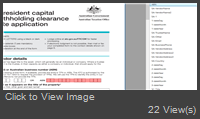
|
|
|
I have added the request to that functionality in the roadmap. I hope such an opportunity will appear in the future releases.
|
|
|
Thank you for your quick support, appreciated!
This helps, but it's a little slow if there's many controls.
Would be good if the field name is added into the events to handle such situations in the future.
Thanks again!
|
|
|
|
|
|
Hi Paul
Thanks for the reply, that seems to work great for now!
Sorry, my questions was worded a little badly. The viewer is tabbing ok.
What I need to do is highlight the selected field from a list of fields in a different UI, but I'm having trouble trying to find what form field is selected. There's a focus changed event on the FormFill object, but it doesn't have the field or id of the field that caused the change. Is there anyway to get the selected form from the document?
Thanks
Matt
|
|
|
Hi, Tab key works fine by design. Could you please provide document where the TAB does not switch focus between fields? We will research it. For the grammatically switch the focus cue I may suggest following workaround Simulate mouse click on field's control Code:
            foreach (var field in pdfViewer1.Document.FormFill.InterForm.Fields)
            {
                if (field.FullName == "is that you want")
                {
                    foreach (var ctrl in field.Controls)
                    {
                        FS_RECTF rect = field.Controls[0].BoundRect;
                        var x = rect.left + rect.Width / 2;
                        var y = rect.bottom + rect.Height / 2;
                        int z;
                        var ctrl2 = pdfViewer1.CurrentPage.GetControlAtPoint(x, y, out z);
                        if (ctrl2 == ctrl)
                        {
                            //this control place on a current page
                            //simulate mouse click
                            pdfViewer1.CurrentPage.OnLButtonDown(0, x, y);
                            pdfViewer1.CurrentPage.OnLButtonUp(0, x, y);
                            //if this is a checkbox, you may click twice to prevent changing of its state.
                        }
                        break;
                    }
                    break;
                }
            }
|
|
|
Hi
I'm currently running an eval on the WPF product for some POC.
Part of the requirement I have is to be able to tab through fields in a document, and also to be able to select (go to a field) from an event outside of the document (like a button click etc).
Looking through the API and can't seem to find a way to go to a field. I can enumerate them ok, but not sure about selecting one.
If anyone is able to help would be appreciated!
Thanks
|
